MetroPCS CallerTunes
Publisher Description
MetroPCS Description:
Give your callers more than just a ring!
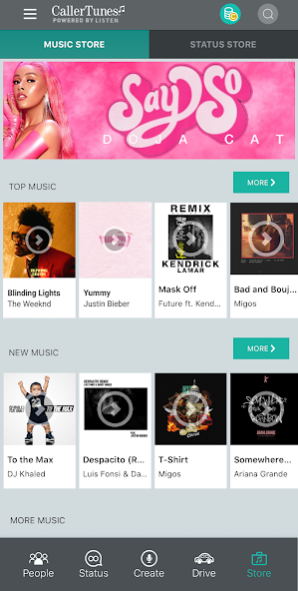
Manage your MetroPCS CallerTunes® ringback service. Play music and status messages to your callers while they wait for you to answer the phone. Choose from thousands of your favorite songs to play for your callers or create custom status messages.
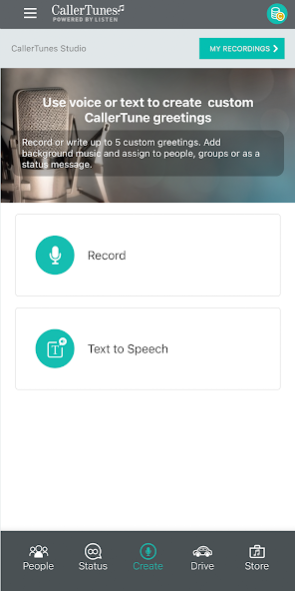
*NEW! CallerTunes® Studio
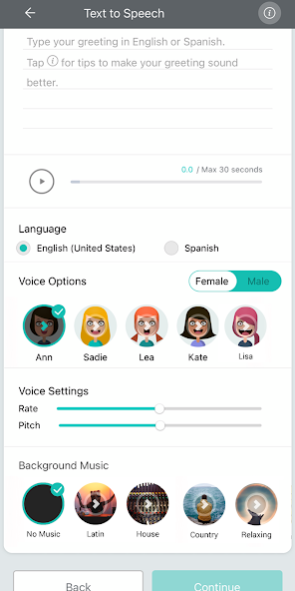
• Use your voice to record personalized greetings or get creative with our text-to-speech technology (English & Spanish)
• New text-to-speech avatars and improved design
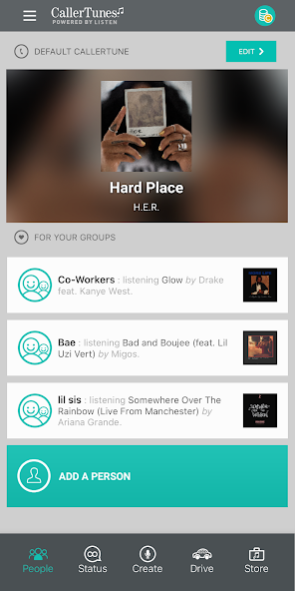
• Assign your custom greetings and status messages to individual callers or groups
CallerTunes Powered by LISTEN subscription includes:
Music: Play music or status messages from our robust catalog of your favorite artists and genres.
Record Your Status: Create your own 30 second voice status message to play to specific callers
Personalization: Enable special songs to play on holidays or special occasions---like Mom's birthday.
Location: Automatically set a status message to play to callers based on your geographic location
Drive: Automatically detect when you are driving and play a message back to callers allowing you to safely communicate to friends & family when you are behind the wheel.
Privacy Policy - https://www.metrobyt-mobile.com/privacy
Terms & Conditions - https://www.metrobyt-mobile.com/metropcs-terms-conditions-service
Start playing CallerTunes and personalized messages to your callers today when you download the app!
About MetroPCS CallerTunes
The company that develops MetroPCS CallerTunes is Metro by T-Mobile. The latest version released by its developer is 1.0 . This app was rated by 2 users of our site and has an average rating of 2.5.
To install MetroPCS CallerTunes on your Android device, just click the green Continue To App button above to start the installation process. The app is listed on our website since 2022-07-18 and was downloaded 395 times. We have already checked if the download link is safe, however for your own protection we recommend that you scan the downloaded app with your antivirus. Your antivirus may detect the MetroPCS CallerTunes as malware as malware if the download link to com.tmobile.metrorbt is broken.
How to install MetroPCS CallerTunes on your Android device:
- Click on the Continue To App button on our website. This will redirect you to Google Play.
- Once the MetroPCS CallerTunes is shown in the Google Play listing of your Android device, you can start its download and installation. Tap on the Install button located below the search bar and to the right of the app icon.
- A pop-up window with the permissions required by MetroPCS CallerTunes will be shown. Click on Accept to continue the process.
- MetroPCS CallerTunes will be downloaded onto your device, displaying a progress. Once the download completes, the installation will start and you'll get a notification after the installation is finished.
Program Details
System requirements
Download information
Pricing
Version History
version
posted on 2022-07-18
Bug fixes
version
posted on 2021-09-22
Added prominent disclosures to runtime permissions.
https://youtu.be/usZyJuleB7Y
version
posted on 2020-12-16
NEW! Introducing CallerTunes(R) Studio
Use your voice to record personalized greetings or get creative with our text-to-speech technology (English & Spanish)
Assign your custom greetings and status messages to individual callers or groups
version
posted on 2020-06-08
Minor enhancements.
version
posted on 2020-02-20
Bug fixes and enhancements
version
posted on 2019-06-14
App enhancements
version
posted on 2016-11-14
We listened! New enhanced functionality makes preview of music easier.,Other bug fixes and performance improvements.,Download the latest version and be 'in the know' for new enhancements and app features!
version
posted on 2016-09-13
Various bug fixes and performance improvements.
